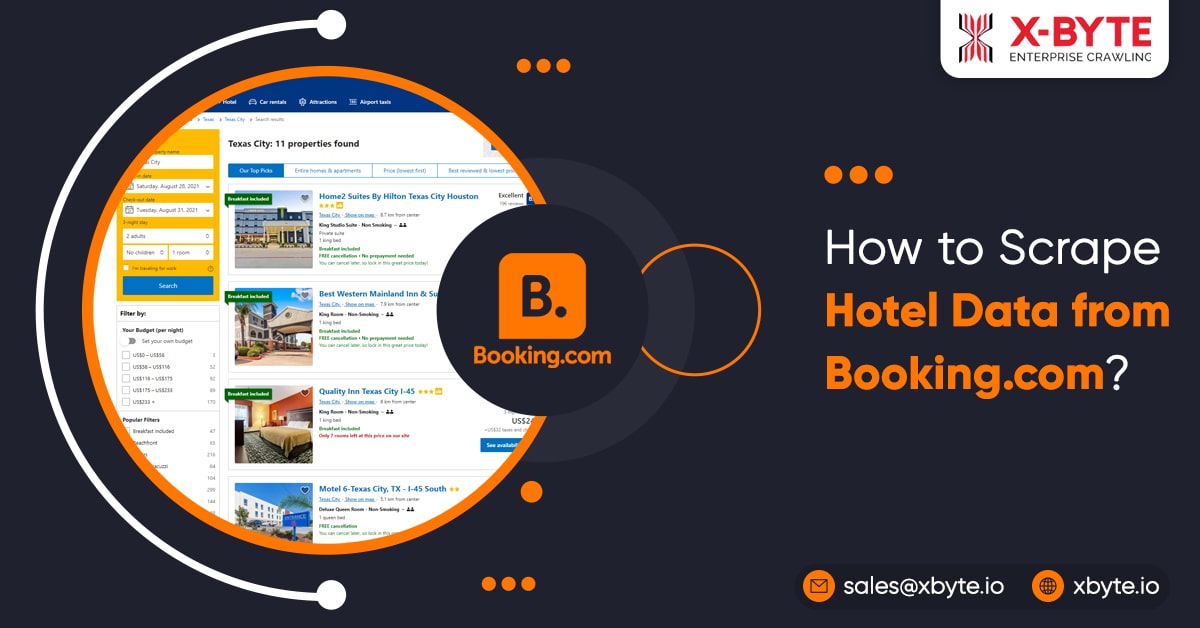
- Browse booking.com for hotels with requirements such as Location, Check-ins, check-outs, room category, number of people, etc.
- Copy the link of search results and deliver it to the hotel scraper.
- Using the scraper, we will download the link using Python requests.
- Then, we’ll use the Selectorlib Template to analyze this HTML and retrieve fields like Name, Location, and Room Type.
- The data will subsequently be saved to a CSV file by Scraper.
The Data Fields That The Scraping Hotel Data Will extract Are:
- Hotel Name
- Hotel Location
- Rooms Availability
- Price Per Night
- Bed Type
- Ratings
- Reviews
- Rating Title
- Links
- Amenities
Installing the Package for Executing the Booking Scraper
You will need Python 3 packages
Python Requests: to request information from Booking and to get the HTML content of the Search Results page
SelectorLib python package is used to fetch the data using a YAML file created from the downloaded web pages.
Installing this using pip3
pip3 install requests selectorlib
The Script
Initially, create project folder named booking-hotel-scraper. In the folder, add a Python file named as scrapy.py
Paste the code as follows:
from selectorlib import Extractor
import requests
from time import sleep
import csv
# Create an Extractor by reading from the YAML file
e = Extractor.from_yaml_file('booking.yml')
def scrape(url):
headers = {
'Connection': 'keep-alive',
'Pragma': 'no-cache',
'Cache-Control': 'no-cache',
'DNT': '1',
'Upgrade-Insecure-Requests': '1',
# You may want to change the user agent if you get blocked
'User-Agent': 'Mozilla/5.0 (Macintosh; Intel Mac OS X 10_15_4) AppleWebKit/537.36 (KHTML, like Gecko) Chrome/81.0.4044.113 Safari/537.36',
'Accept': 'text/html,application/xhtml+xml,application/xml;q=0.9,image/webp,image/apng,*/*;q=0.8,application/signed-exchange;v=b3;q=0.9',
'Referer': 'https://www.booking.com/index.en-gb.html',
'Accept-Language': 'en-GB,en-US;q=0.9,en;q=0.8',
}
# Download the page using requests
print("Downloading %s"%url)
r = requests.get(url, headers=headers)
# Pass the HTML of the page and create
return e.extract(r.text,base_url=url)
with open("urls.txt",'r') as urllist, open('data.csv','w') as outfile:
fieldnames = [
"name",
"location",
"price",
"price_for",
"room_type",
"beds",
"rating",
"rating_title",
"number_of_ratings",
"url"
]
writer = csv.DictWriter(outfile, fieldnames=fieldnames,quoting=csv.QUOTE_ALL)
writer.writeheader()
for url in urllist.readlines():
data = scrape(url)
if data:
for h in data['hotels']:
writer.writerow(h)
# sleep(5)
The code will be as:
- Download the HTML page for every link in a file called urls.txt.
- Use the Selectorlib Template booking.yml to scan the HTML.
- Data.csv is a CSV file that contains the output.
Now, create the file urlx.txt paste the link of search results, and then create the Selectorlib Template.
Creating Selectorlib template to Extract Hotel Data from Booking.com Search Results
You will see that we utilized a document named booking.yml in the above script. This file is responsible for the tutorial’s code being so short and simple. Selectorlib, an Instant Scraper program, is responsible for creating this file.
Selectorlib is a visual and intuitive tool for picking, marking up, and retrieving information about web pages. The Selectorlib Web Scraper Chrome Extension enables you to identify data that you’d like to scrape and then generates the CSS Selectors or XPaths you need to do so.
The data is then reviewed. More information about Selectorlib and how to use it can be found here. Here’s how we used Selectorlib Chrome Extension to mark up the areas for the data we needed to scrape.
After you’ve finished creating the template, go to ‘Highlight’ to see all of your highlighted and previewed selectors. Finally, select ‘Export’ and save the YAML file, which is the booking.yml file.
Here is the sample of the template that booking.yml will look like
hotels:
css: div.sr_item
multiple: true
type: Text
children:
name:
css: span.sr-hotel__name
type: Text
location:
css: a.bui-link
type: Text
price:
css: div.bui-price-display__value
type: Text
price_for:
css: div.bui-price-display__label
type: Text
room_type:
css: strong
type: Text
beds:
css: div.c-beds-configuration
type: Text
rating:
css: div.bui-review-score__badge
type: Text
rating_title:
css: div.bui-review-score__title
type: Text
number_of_ratings:
css: div.bui-review-score__text
type: Text
url:
css: a.hotel_name_link
type: Link
Executing the Web Scraper
Running the scraper,
- Crawling Booking.com for searching the hotels.
- Copy and paste the URLs from the search results into urls.txt.
- Scrape.py in Python 3
- Get information from the data.csv file.
Are you looking to scrape hotel data? Contact X-Byte Enterprise Crawling Now!